
If you made it this far, we are assuming that you know what Anki is and why you want to use it for the MCAT. Everyone tries to complicate Anki, but we believe MCAT Anki is simple. Therefore, we worked with top medical students to cut out the fluff and made the highest-yield Anki MCAT guide.
Steps:
- Download Anki
- Understand the Important Areas
- Pick an MCAT Anki Deck
- Start Studying
- Add Missed Questions
- Last Step
Step 1: Download & Setup Anki
To download the Anki software for your computer:

Step 2: Understand the Important Areas
Anki can be customized beyond belief. There are so many features and areas you can explore, but the truth is, only a few of them matter. These are the only few things you need to get started
Deck Screen
This is where your Anki decks live. You can see all of your decks and sub-decks here.
If you want your screen to look like this, you will need a few Anki add-ons. Get the ones that matter here: Anki Add-ons
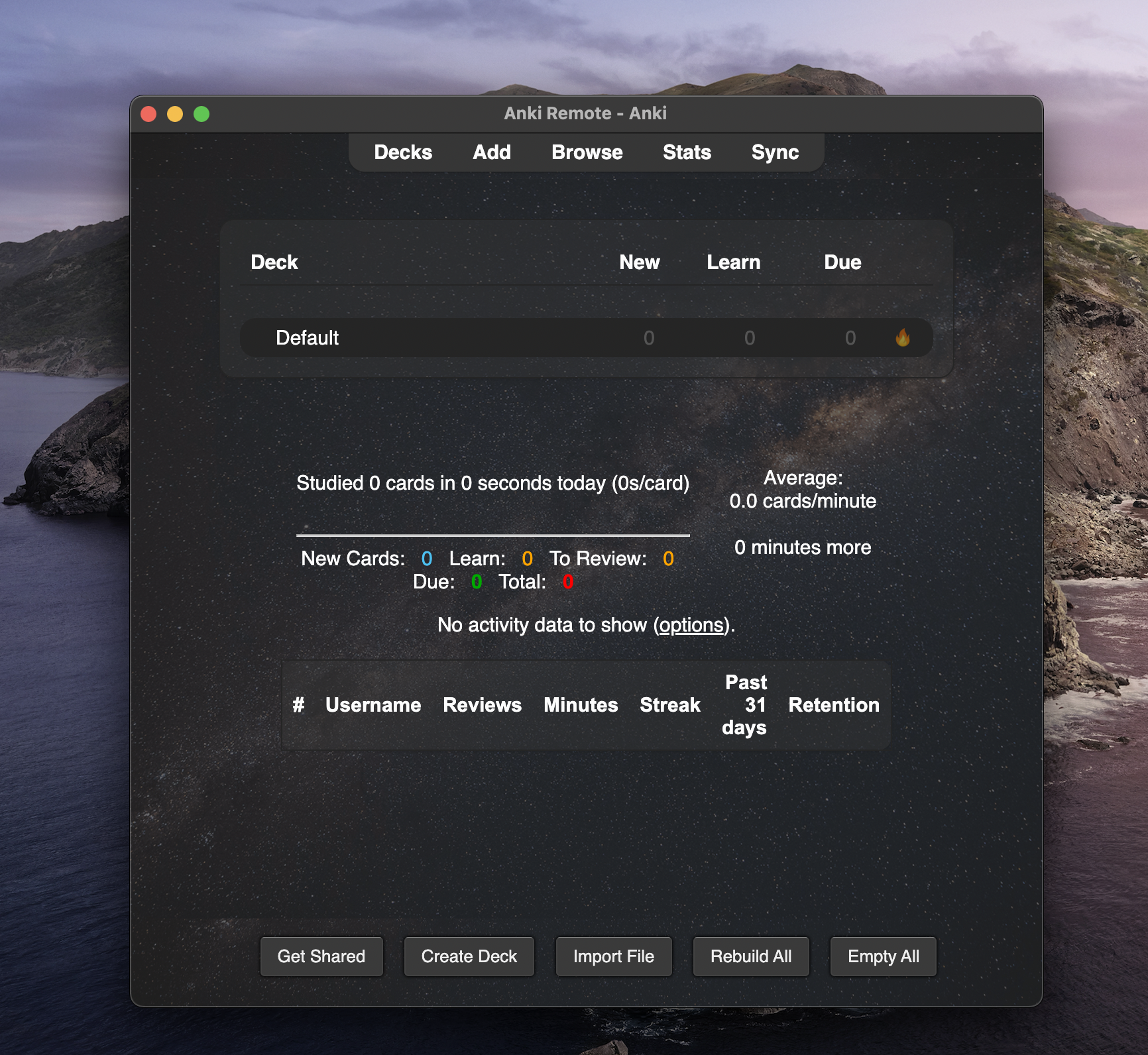
Deck Overview Screen
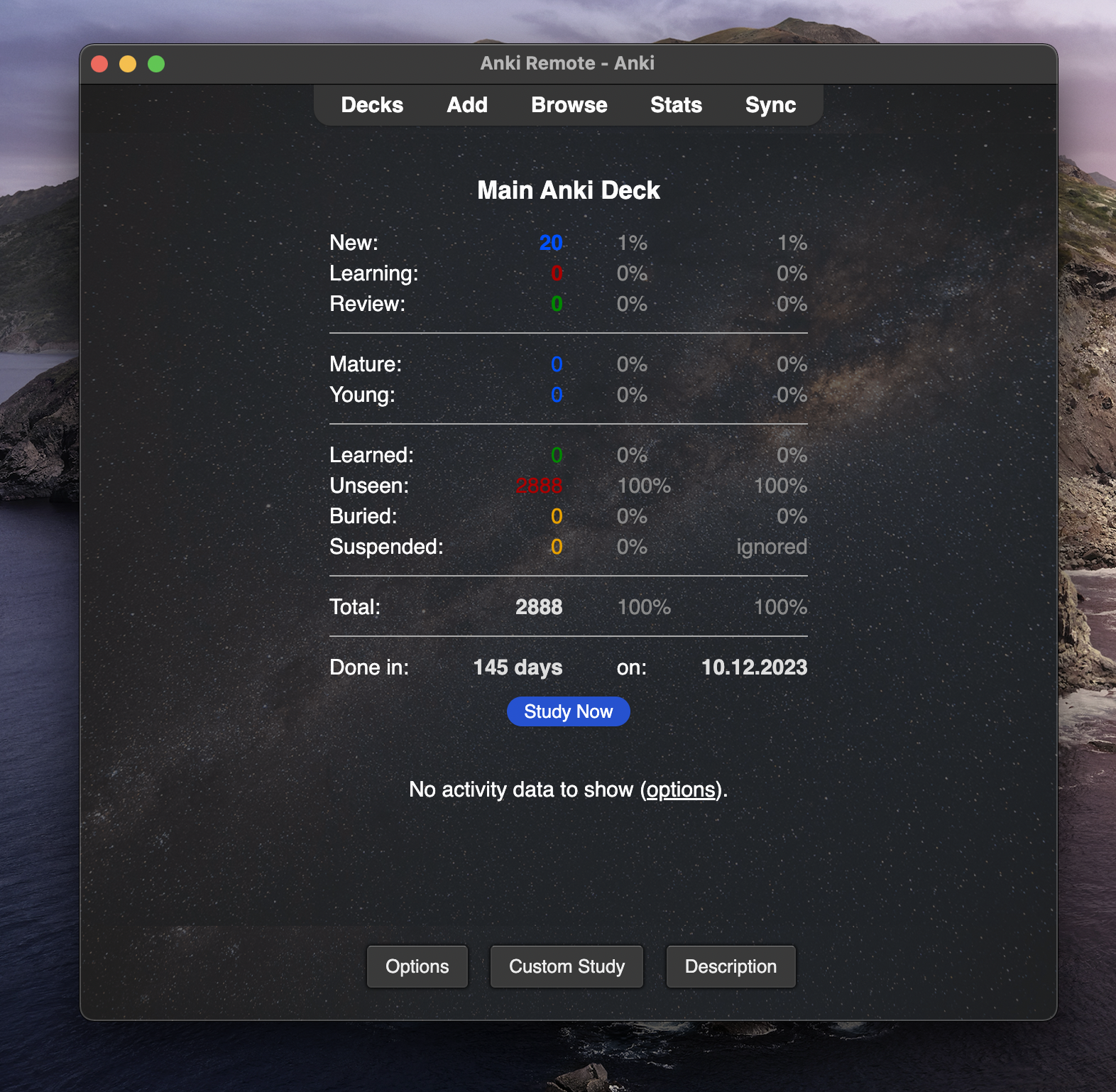
What does this mean?
- New = Anki cards you have never seen
- Learning = Anki cards you got incorrect
- Review = Anki cards you got correct in the past
The rest does not matter. To get started on an MCAT Anki deck, click study now:
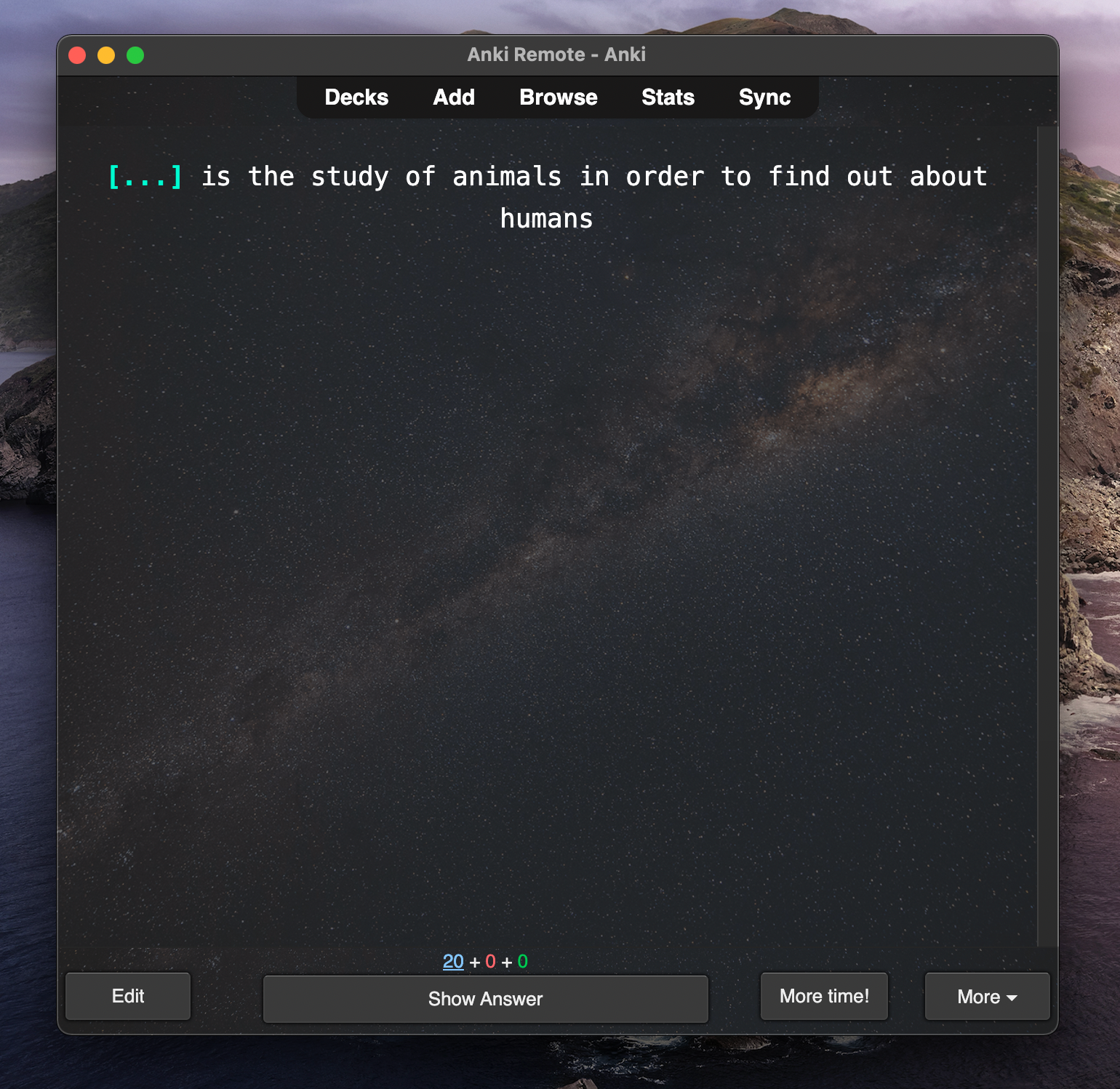
Anki Card inside of MCAT Deck
When you first see a card, it will look like something below. To see the answer, you must either click on "Show Answer" with your mouse or you can press "Spacebar" on your keyboard.
After you hit the spacebar, it will look something like below. The answer will fill in and any extra information (text, images, and links) will pop up.
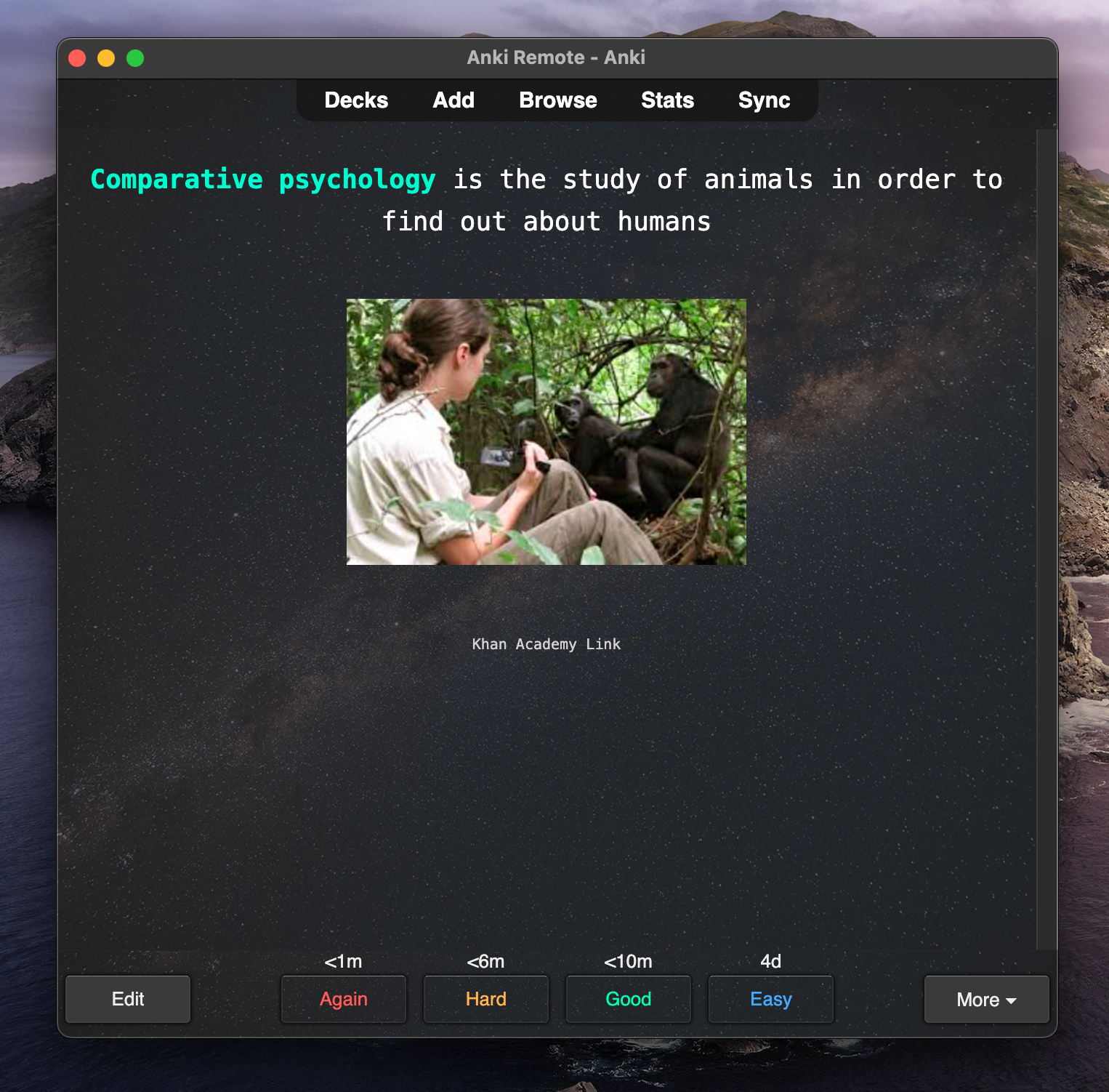
This is where this gets different from something like Quizlet or paper flashcards. There are 4 options at the bottom: Again, Hard, Good, and Easy. These options allow you to self-grade yourself on how well you knew the information on the Anki card. This is the advice we give:
- If you had no idea, go with Again.
- If you said something related, go with Hard.
- If you eventually remembered it, go with Good.
- If you knew it instantly, go with Easy.
You have to be honest with yourself here. You are the only one holding yourself accountable.
That's all you have to know to Anki. If you do that every day for 100 days, you will be well prepared (regardless of the exam).
Step 3: Pick an MCAT Anki Deck
We have an in-depth breakdown of the pros and cons of the best Anki MCAT decks here:
If we could only pick one, we would recommend the Milesdown MCAT Anki Deck organized by Coffin. Download here.
But, even some of the smartest premeds miss these steps:
Step 4: Start Studying for the MCAT
At this point, you should start studying for the MCAT. When you study, you should have a way to :
- Learn information (MCAT Books, Reddit Resources, Khan Academy, etc)
- Test your knowledge (AAMC full lengths, section banks, UWorld, etc)
- A way to retain information, hone details, and avoid the same mistakes twice (Anki)
Please note that Anki is a tool for retention, honing, and avoiding mistakes. Here are our most important rules of thumb:
-
Learn a topic's content before doing Anki Cards on it.
- The best way to integrate this is to understand the best way to use the Browse features of Anki. Check out our guide on how to use the Browse feature (coming soon)
- If you keep missing the same question, go review the topic. It may feel like a pain, but it will save your sanity in the long run.
- Use Anki as a mistake log. The best way to ace the MCAT is to avoid the same mistake twice. More on this in Step 5.
If you want to see our top 10 MCAT tips, check them out here: __________
Step 5: Add Missed Questions
One of the best uses of Anki is to make sure you actually learn from your mistakes. We highly recommend making a "Missed Questions" Anki Deck.
Here is the step-by-step process on how to do it with specifics on the best way to set up your cards:
Best practices for making your own Anki cards when studying for the MCAT:
- Use Cloze deletion card type
- Always phrase your cards as a question
-
Try to keep the answer choices as short as possible
- If it is too long, you will likely cut corners later
- Include helpful resources (UWorld images and tables are great examples)
-
Don't just screenshot the question and answer)
- You want to understand why you missed the question, not just memorize the right answer for that one question.
Step 6: Last Step
If you don't want Anki to feel like a chore, we highly recommend getting an Anki Remote. We have had countless premeds and med students email us saying that no matter what they tried, they could not stick with Anki. Well, until they got an Anki Remote. Once they got an Anki Remote, Anki become fast and fun.
I love my anki remote, it makes my morning studying hours so easy and effective and I get studying done hours earlier than without it! I take it with me wherever I go and it's made my medical journey a lot easier :) Zayan Musa ⭐️⭐️⭐️⭐️⭐️
